Canva Brush: What Its New AI Design Editing Means for Social Creators
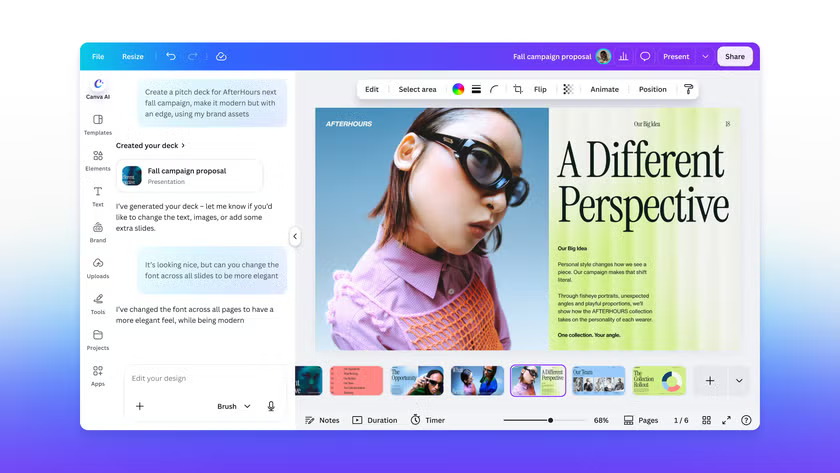
Canva announced Canva Brush on 29 October 2026. Canva describes it as a vision-language model that can interpret an existing design and make requested changes, including edits across multiple pages. At launch, Canva Brush is powering supported edits in Canva AI for Canva Pro subscribers, with wider availability coming soon. Read Canva’s announcement. www.canva.com
For social creators, the practical question is whether an AI editing tool can help revise graphics without rebuilding them from scratch. Canva gives examples such as restyling an image and making a change across a multi-page design. This could be useful for promotional graphics, social cards or related channel assets.
What is confirmed?
Canva says Brush works through Canva AI and is available to Pro subscribers for supported edits. The company says wider availability is coming, but its announcement does not give a date.
The update concerns design editing. Canva’s announcement does not say that Brush edits a video timeline or clears rights for every asset used in a design. Check Canva’s current terms and feature documentation before using edited assets in a client or commercial project.
A careful way to use AI design edits
Start from a copy of the original design so you can compare the result and restore anything that should stay unchanged. Review text, logos, product details and image edges closely. Small errors can be easy to miss in a preview.
If you are preparing visuals for a video, check the design at the final size and aspect ratio. Then preview it beside the footage and captions to make sure it remains readable. For the soundtrack, browse RouteNote Licensing for music and sound effects.