
How stem separation can make royalty free music more flexible
Royalty‑free music is the perfect solution for creators. It’s cheap, legal, and the choice is expansive. But what if you need more control over the track than what’s provided? That’s where stem separation comes in. Whether you’re editing videos, producing podcasts, making games, or crafting social media content, we all hit the same limitation with traditional royalty‑free tracks: once you download an MP3 or WAV, what you get is fixed, i.e a stereo master recording. You can’t rearrange the drums to fit your scene, mute vocals that clash with dialogue, or build tension at exactly the right second. But with stem separation this is all now possible.
Why traditional royalty‑free music can feel restrictive
Royalty‑free music is built to be easy and painless to license, but that convenience comes with a trade‑off: you only get the final mix as one flat audio file. Unlike visuals (where layers are standard), audio usually arrives “baked in,” meaning the drums, bass, vocals, melody, and effects are all locked together. You have volume control and mastering tweaks, but deeper edits are impossible without the individual elements.
For creators wanting more dynamic content, where music reacts to your storytelling instead of just sitting underneath it, this can feel limiting. You need more than a soundtrack; you need control.
Introducing stem separation: Your audio hack for added control
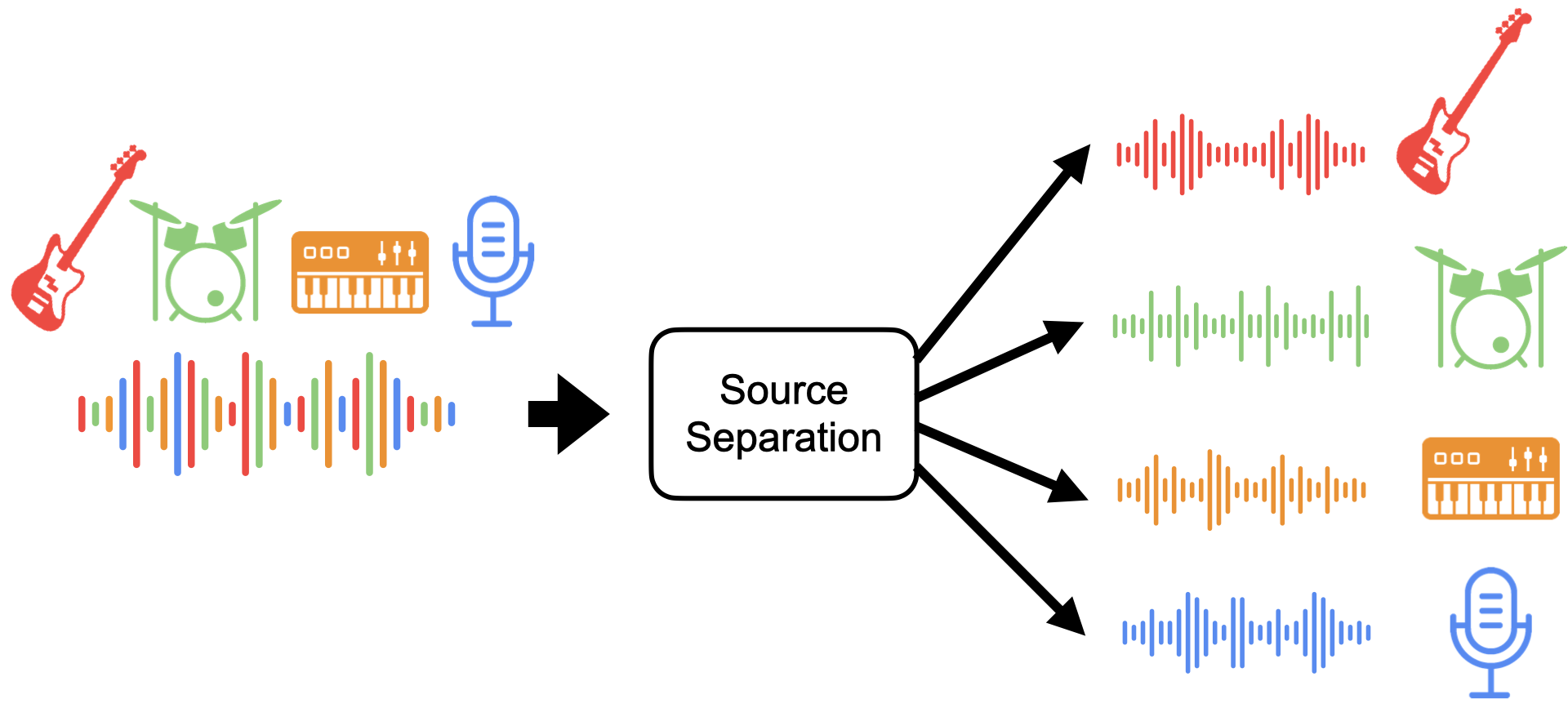
Stem separation is an approach to breaking a full mix down into its core parts. These parts are traditionally vocals, drums, bass, and “other”. Separating the stems means you can work with each of these components individually. It’s like turning a finished song back into its production stems, just like a studio would use. These stems let you:
- Mute or emphasise specific elements (e.g., remove vocals to make an instrumental bed).
- Rearrange parts to match the pacing of your visuals.
- Blend effects into individual stems for creative sonic environments.
This opens up a level of creative control previously reserved for DJs, remixers, and audio professionals. Instead of being stuck with a fixed arrangement, you now own how the music functions inside your content.
Beyond editing: Use stems for remixing and immersive sound design
Once you have stems, your creativity can run wild. Here are some ways creators are using them:
- Build atmosphere: add reverb or delay just to a pad stem to evoke a sense of space.
- Create tension or release: drop out the drums during quiet storytelling moments, then bring them back for impact.
- Compose around visuals: loop a bassline under a slow reveal, then cut to vocals as the narrative peaks.
- Special effects on stems: apply phasing or filters to specific stems (like synths) to give a sense of disorientation or “loss of control” in horror or surreal scenes.
This kind of stem‑based mixing turns royalty‑free tracks from static backgrounds into bespoke soundscapes tailored to your project’s needs.
Is stem separation allowed under royalty‑free licences?
One question you might ask yourself is, are you allowed to edit your music this deeply? When it comes to audio manipulation not all royalty‑free licences are created equal. Some only permit minimal edits, while others explicitly allow remixing, rearranging, or stem‑level manipulation.
At RouteNote Licensing, our flexible licence encourages creative use. This includes stem separation and remixing, so you can truly make your tracks your own without worrying about hidden restrictions.
Stem separation tools to get you started

Here’s a list of 7 current options, ranging from totally free tools to professional solutions. All can help you turn your royalty‑free tracks into editable stem sets:
- Ultimate Vocal Remover – A free, open‑source stem separation tool based on AI models like Demucs and Spleeter. Great free option that in my experience often sounds as good as many pricier options.
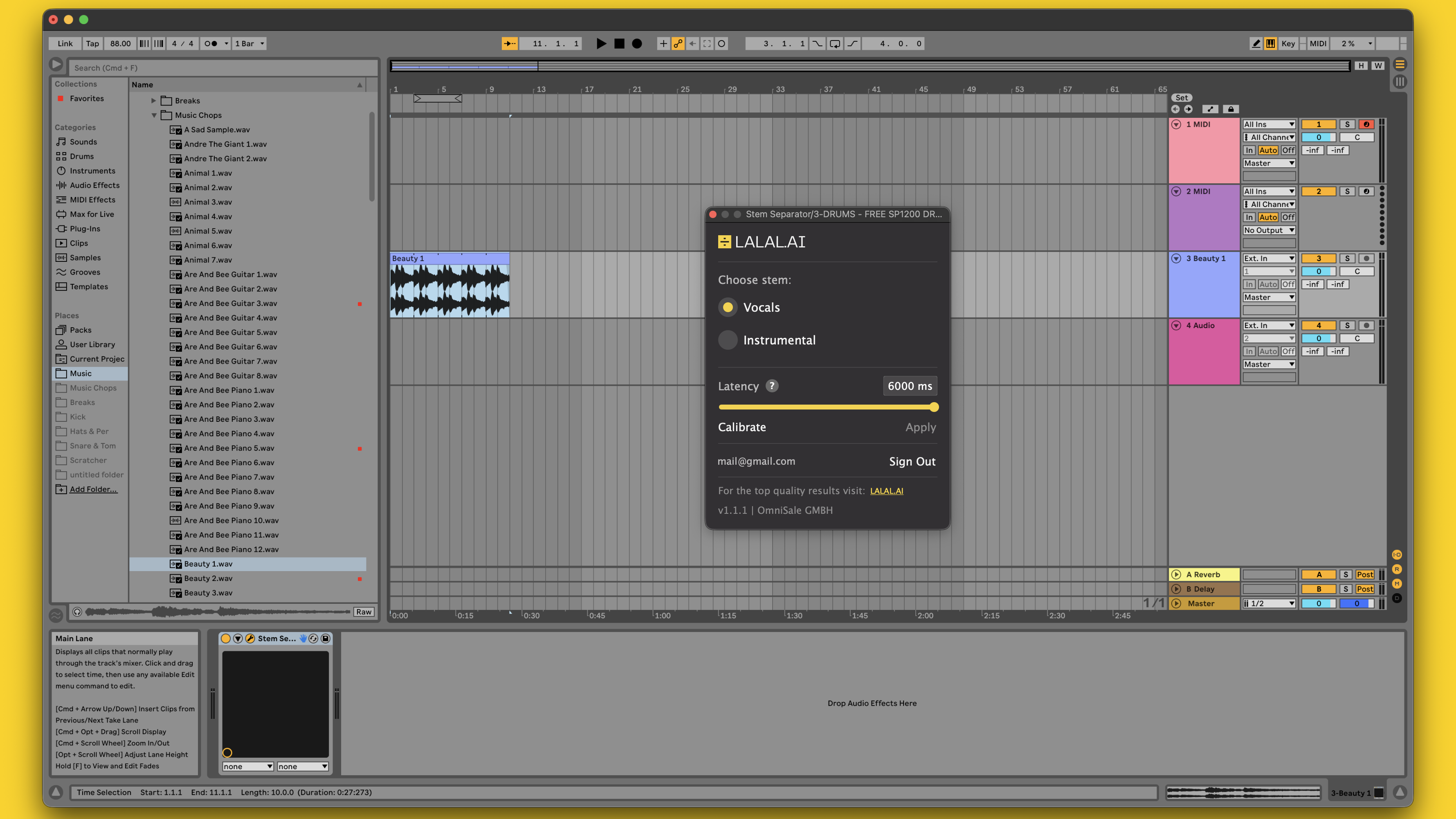
- LALAL.AI – Browser‑based AI stem separation with clean results and paid options for higher quality.
- Moises.ai – Cloud tool with stems, key/BPM control, and practice features; free tier available, but paid plans allow for separation of a wide range of instruments.
- VocalRemover.org – Simple web app for quick stem extraction without downloads.
- Melody ML – Easy, browser‑based multi‑stem splitter.
- BandLab Splitter – Free 4‑stem separation with cloud DAW integration.
- iZotope RX 11 (Music Rebalance Module) – Professional suite with advanced stem isolation (paid).
These options cover all levels, from casual creators who just want to clean up vocals, to professionals doing deep remix production.
How to use stem separation in your workflow
Ready to try it? Here’s a simple roadmap:
- Pick a track from RouteNote Licensing that fits your project vibe.
- Upload it to your stem separation tool of choice.
- Export stems and import them separated into your editing environment (e.g., Final cut, Premiere Pro, DaVinci Resolve, or your DAW).
- Mix and match: Use automation to get control over the separate stems. Mute what clashes, boost what enhances, automate tracks for smooth detailed control and even add effects to individual stems where it makes creative sense.
This process turns a once‑static piece of background music into a dynamic tool that can fully serve your narrative.
Conclusion
Stem separation transforms the way creators interact with royalty‑free music. Instead of adapting your content to fit a track, you can adapt the track to fit your content, making every edit feel intentional and cinematic.
With affordable licensing from RouteNote Licensing and the growing ecosystem of stem tools available today, there’s never been a better time to unlock the full potential of your soundtracks. Go try a few options, watch our demonstration here: https://www.youtube.com/shorts/sUNIGPcn5mU, and see how much more expressive your content can become.
Stop risking your channel’s revenue and momentum on a flawed system.
RouteNote Licensing guarantees that the music you license is protected from Content ID claims, allowing you to focus on what you do best: creating great content.
Click Here to Start Your Claim-Safe Journey Today!