
7 audio mistakes that make your content look amateur
You can shoot in 4K, ace the lighting, nail your editing, and have a great idea… but if your audio is off, your content instantly feels amateur.
Most creators don’t lose viewers because their ideas or visuals are bad. They lose them because the audio creates a subliminal friction. People might not know why your content feels unprofessional, but they feel it.
Here are 7 audio mistakes that quietly sabotage otherwise good content, and what to do instead.
1. Recording with the built-in mic
This is the fastest way to scream “beginner.”
Built-in laptop and phone mics are designed for convenience, not quality. They are designed to pick up everything so your voice is competing with everything else in the vacinity: room echo, keyboard noise, and that hollow, distant sound that screams low effort.
Why it hurts your content:
- Your voice lacks clarity and detail
- Viewers subconsciously disengage as it becomes a strain to hear you
- Your content therefore feels disposable and of low value, even if it isn’t
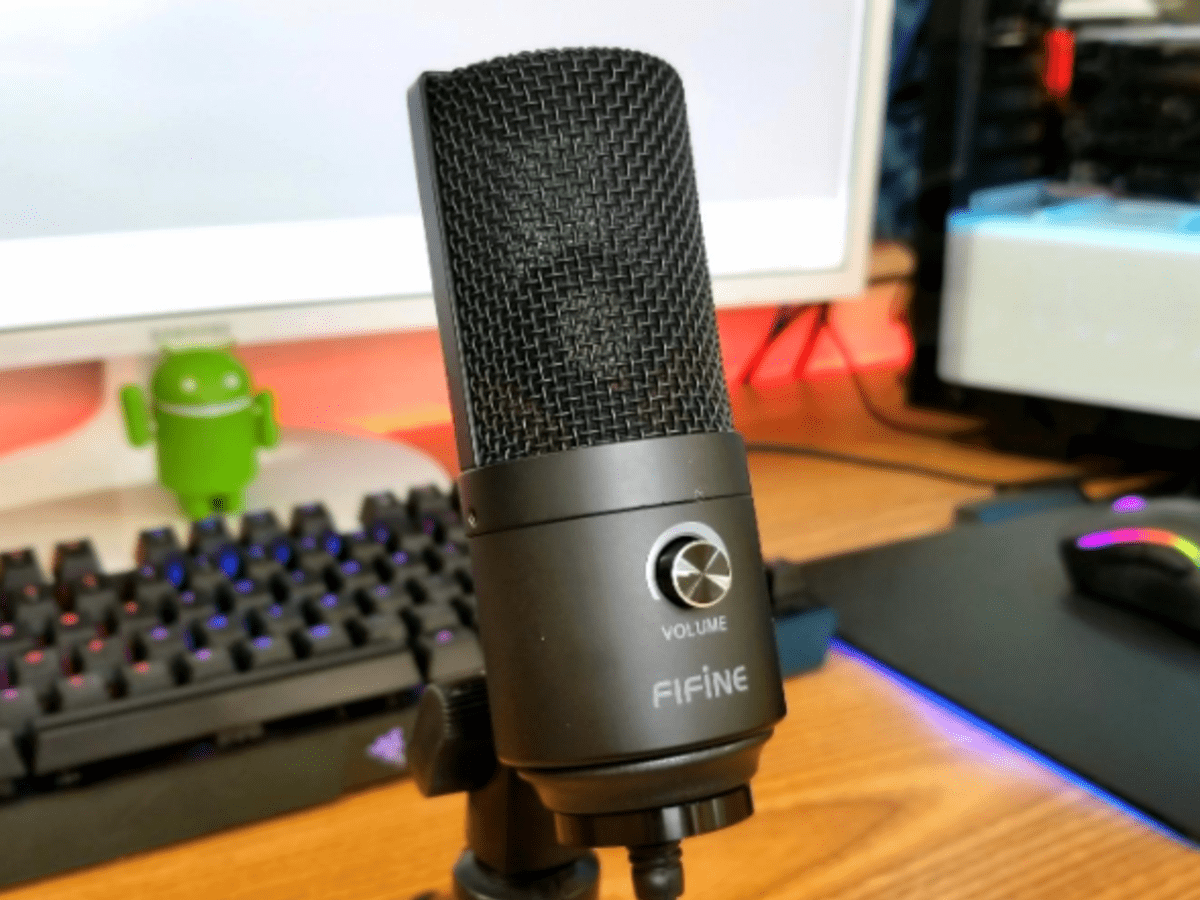
The fix:
You don’t need an expensive studio mic, just a reasonable quality external one. A basic USB mic or lav immediately puts your voice “in front” instead of buried in the ambience of the room. Check this article for some helpful suggestions.
2. Recording in an untreated room
Echo, or reverb as it is referred to in audio circles, can be one of the biggest audio issues creators have to deal with.
A large, empty room with hard surfaces reflects sound back creating a soupy audio v. This is captured by the mic, making your voice feel distant and messy. Ironically, expensive mics can make this problem worse, not better. This is very much an environment problem rather than an equipment one.
Why it hurts your content:
- Your voice sounds unclear and unfocused
- Viewers are used to dry dialogue so your audio instantly feels “cheap,”
- Editing becomes harder (and less effective)

The fix:
Record where sound gets absorbed, not reflected. Ideally find a good space to record in but if not possible treat the room you are in.
- Use absorption panels
- Try to place plenty of Soft furnishings in the space. Closets, curtains, couches, and rugs are your friends
- Use a highly directional mic such as a shotgun mic. These mics prioritise the soung directly in front of them and pick up less ambient room reflections.
3. Music that’s too loud (or too quiet)
Background music should be just that, in the background. It is meant to support your voice, not compete with it. On the other hand you need to be able to hear it over the dialogue and natural sound.
One of the most common mistakes creators make is setting music levels based on how they feel, not how the audience hears it.
Why it hurts your content:
Too loud:
- Forces listeners to strain to hear whats being said
- Makes your voice feel secondary
- If extreme it can causes people to turn the video off
Too quiet:
- Adds nothing and feels pointless or accidental
- Can distract from the dialogue as people attempt to identify with the music.
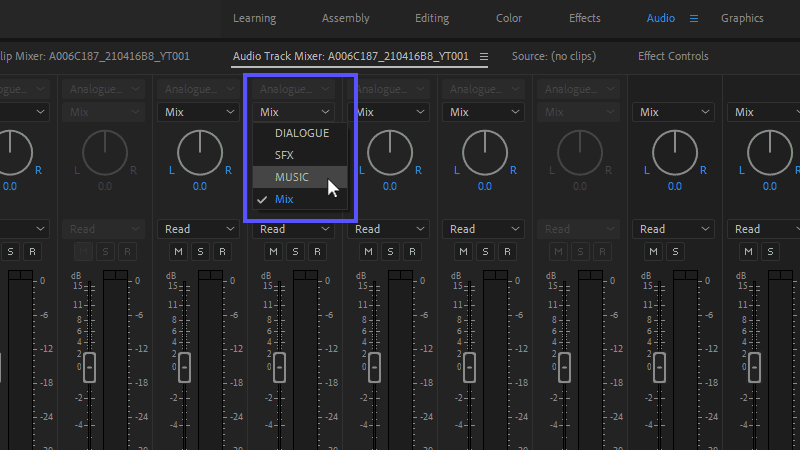
The fix:
Music should be felt more than heard.
- Lower it until you feel it is too buried, then notch it up a tad.
- Duck or automate music when you speak
- Don’t be afraid of silence as well as music for some sections. Silence is professional
4. Overusing sound effects
Sound effects can be a powerful tool, but they can also distract from your content
Creators often add effects because they think it increases engagement. In reality, excessive “whooshes,” dings, and meme style sounds pull attention away from the message you are communicating. And where an excess of effects works for certain formats, such as content aimed at children or funny animal compilations, they can also devalue more serious or professional videos
Why it hurts your content:
- Breaks immersion
- Makes content feel gimmicky
- Distracts instead of enhances and eventualy causes fatigue

The fix:
Use sound effects sparingly and intentionally.
If a sound effect doesn’t:
- Emphasize a point
- Improve clarity
- Support timing i.e a transition
…it probably doesn’t need to be there.
5. Not editing or over-editing the audio track
Striking a balance between too much and too little editing of your audio is key to professional sounding content. Both extremes are equally damaging.
Why it hurts your content:
No audio editing can result in:
- Inconsistent volume
- Awkward silences
- Abundant and distracting Background noise
Over editing your audio can result in:
- Unnatural robotic voices
- Audible artifacts, ie if using audio repair tools such as Adbobe Podcast.
- That harsh, over-compressed “radio voice”
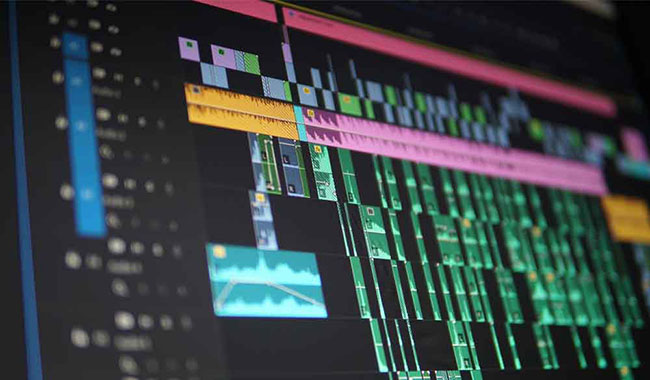
The fix:
Aim for natural but controlled. Focus on:
- Levelling your voice using automation
- Very light compression. Do not use if there is a lot of background noise as that will bring that up also.
- Subtle noise reduction and correction. Start with it at 0% and slowly increase until you can start to hear it effecting the voice negatively. Then wind it back a bit until the effects are no longer audible.
Just remember, if you can hear the processing working, you’ve gone too far.
6. Inconsistent volume levels
If viewers have to adjust their volume even once, you’ve already created friction. A good balance is key to professional video content.
This usually presents itself when:
- Quiet talking, loud laughing
- Music starts to overpower dialogue
- Sudden jumps between clips
Why it hurts your content:
- Listening becomes work as viewers have to manually adjust the volume
- Fatigue sets in faster
- People click away sooner

The fix:
The best practise is to normalize your voice and check levels are balanced before publishing. For Youtube aim for -14 LUFS or slightly lower for optimal performance..
Consistency feels professional even if the audio isn’t perfectly recorded in the first place.
7. Random or inconsistent sound design across videos
If every video sounds different, this will effect how people will perceive your brand. Different music styles, random sound effects, and inconsistent vocal tone make your content feel less authoritative. This works on a subconcious level with viewers getting a sense of incoherence without actually identifying that this is the cause.
Why it hurts your content:
- No recognizable “audio identity”
- Lower perceived quality
- Less familiarity over time
The fix:
Create a repeatable audio setup:
- Use the same mic
- Use similar rooms, ideally a specially adapted space for filming.
- Consistent music style
- Drop predictable sound cues including if applicable a short repeated opening sequence.
Consistency builds trust faster than high end polish.
Stop risking your channel’s revenue and momentum on a flawed system.
RouteNote Licensing guarantees that the music you license is protected from Content ID claims, allowing you to focus on what you do best: creating great content.
Click Here to Start Your Claim-Safe Journey Today!