Why you should check your video soundtrack in mono before publishing
You’ve spent hours carefully mixing the soundtrack for your latest video. The music sounds wonderfully wide, the sound effects move convincingly between the speakers and everything feels nicely balanced. Then you listen to the same video through a different speaker, and something seems wrong.
Certain sounds have become quieter, the music has lost some of its impact and parts of the mix seem to have disappeared. One possible explanation is poor mono compatibility.
What happens when stereo audio becomes mono?
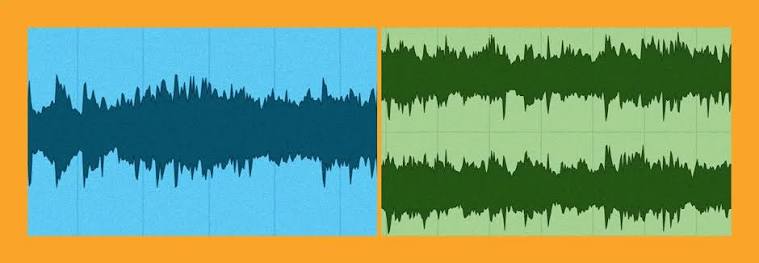
Stereo recordings contain separate left and right audio channels. This allows sound to appear spread across a listening space rather than coming from one central position. When stereo audio is converted to mono, the two channels are combined into a single signal.
Normally, this should preserve the essential elements of the recording. However, if similar sounds in the left and right channels have particular phase relationships, combining them can cause some frequencies to reinforce one another while others cancel. The result may be a noticeable change in the sound.
Shure’s educational material on microphone recording techniques explains how phase differences between microphone signals can produce cancellation and changes in frequency response.
Why this matters for video creators
Your audience won’t necessarily listen to your content using the same equipment you used to create it. Some viewers will use headphones, while others might listen through a phone, television, laptop or a single external speaker.
Certain playback systems may combine stereo information into mono, while others reproduce a narrower stereo image than your studio monitors. This means a soundtrack that sounds impressive through headphones might behave differently on another system.
Problems can become particularly noticeable when using stereo widening effects, layered recordings or unusual microphone arrangements.
How to check mono compatibility
Fortunately, checking your soundtrack is relatively straightforward. Most audio editing applications and digital audio workstations provide a way to monitor the combined mono signal.
Start by playing your soundtrack in stereo, then switch to mono while listening for significant changes. Pay particular attention to:
- Music that becomes noticeably quieter
- Sound effects that seem to disappear
- Changes in the tone of dialogue
- Bass frequencies that lose their impact
- Wide stereo effects that become thin or hollow
Some change in the stereo image is inevitable when switching to mono. The important thing is whether essential elements remain clearly audible.
What should you do if something disappears?
Start by identifying the audio track responsible for the problem. If you’ve applied a stereo widening effect, try reducing its intensity. If you’ve combined multiple microphone recordings, examine their timing and phase relationship.
You may also need to adjust individual track levels or replace a problematic sound effect. Avoid assuming that simply increasing the volume will solve the issue. If two signals are cancelling each other, making both louder may not produce the result you expect.
A simple final check
Before exporting your next video, listen to the soundtrack through headphones, a typical speaker and a mono monitoring setting if your editing software provides one. It’s a quick way to identify problems that might otherwise go unnoticed.
And when choosing music and sound effects, remember that a convincing soundtrack needs to work across a range of listening environments, not just your editing setup.
You can explore music and sound effects for your next production through RouteNote Licensing.