
Going live? How to make music work for your livestream
Music can be a great way of putting the lively into livestreaming. It can fill awkward silences, build and maintain energy, help the video be on trend and give your stream a recognisable personality. But before you hit “Go Live”, it’s worth thinking about what music you need and how you are going to use it.
What type of stream are you planning?
Before even thinking about music you should consider the type of livestream you’re planning. The type of livestream you create will have a big influence on the type of music that will works for it. Different formats have different pacing, atmospheres and demands on the viewer’s attention, so think about what role you want music to play.
Heres a list of popular livestreaming formats and themes with associated music suggestions.
- Gaming: Match the energy of the game being played or reviewed. Use energetic music to maintain momentum or atmospheric tracks to complement slower, exploratory sections. While it is possible to use the original gameply music it risks catching a copyright claim.
- Just chatting to cam: Low-key background music can help fill quieter moments without competing with the conversation. Choose music that matches your personality or personal musical preferences.
- Q&A streams: Keep music subtle so questions and answers remain the focus, perhaps just use short musical cues between different topics. Low volume looped music can work well.
- Lifestyle: Choose music that reflects your personality and the overall mood of the stream. The music should suit the mood of the subject you will be covering
- Fitness and workouts: Upbeat, energetic music can help create a sense of momentum and keep the pace moving. Music should fit the tempo of the exercise and be able to be monitored easily when recordin the stream
- Cooking: Light, unobtrusive music can add flavour to the process without distracting from instructions or conversation. Maybe watch the cuisine being prepared to the foods regional musical style. This works well if done subtly.
- Travel: Music can help to reinforce the atmosphere of a location and help turn footage of your surroundings into a more immersive experience. Emotive mood music works well to intensify the connection to the place.
- Live podcasts and interviews: A short intro, outro and occasional transition music can help give the broadcast a more structured feel professional feel.
- Live events: Music can help build anticipation before an event starts and provide transitions between different parts of the broadcast.
- Creative performances: Music is often a central feature of the stream, making the choice of track(s) and the way they are mixed into the action particularly important.
- Art and drawing: Relaxed or atmospheric music can complement the slower pace of watching something being created. Music is particularily important as it fills the gaps when the artist is not speaking.
- Unboxing and product streams: Short musical cues can help separate products or sections, while subtle background music can prevent the stream from feeling too quiet. Think about selecting music that builds as this helps with anticipation.

There is no single formula for livestream music. The music used should be dictated by the subject of the stream and the person presenting it. Think about the pace and personality of your content, then choose music that adds to that experience rather than simply filling the silence.
Finding music that fits your stream
Think about music as another part of your production rather than something you tag on or simply have playing in the background.
Curate the viewing experience. You could, for example, have an upbeat track for your opening, calmer music while chatting. Think about inserting something more energetic if a particular segment requires it. Or you may want to introduce some quirky, comical musical vibes for funny segments. If you think your stream is lightly to have different sections in it then create playlists that cater for these different types of action.
Volume is important too. If viewers have to concentrate to hear what you are saying over the music, the soundtrack is working against you. Generally, background music should support the stream rather than compete with the main content.
Music can also help with pacing. A change in music can signal that you are moving onto a new subject, starting a new game or returning from a break. Used carefully, these small changes can make a livestream feel more structured and intentional.
Preparation is key
Unlike standard video production where the music is applied at the editing stage, livestreaming requires a totally different approach. Preparation is therefore key as it makes managing music much easier once your stream is underway.
One solution is to create a playlist in advance. Make sure the tracks are well organise so you can quickly find what you need. For highly structured streams you will want to organise the music into a collection such as intro tracks, background music, transitions and shorter sound effects so they are ready to go. Some software even allows you to sync to music streaming services such as Spotify allowing you to organise playlists in either platform.

It is also essential that you test everything including the music levels before you start. Check that your levels are audible, your microphone remains clear and switching between different sources doesn’t produce unexpected jumps in volume. It’s always a good idea to record a quick test so you can rewatch and assess.
If you are planning on longer streams, think about how your music will work over several hours. Having a selection of tracks is likely to sound more natural than repeatedly playing the same track or short loop.
Preparing music in advance and organising it in a way that it can be quickly and easily selected means you aren’t scrambling to find something suitable while you are live. Livestreaming is a totally different dynamic to conventional video creation. Once you have gone live you are on a rollercoaster that requires high levels of multitasking and focus. The fewer things you need to think about once the broadcast starts, the more attention you can give to your audience.
How do you actually add music to a livestream?

There are a few ways to get music into a livestream. The best option for you will depend on how you broadcast and what equipment you use.
One of the most popular livestreaming software solutions is OBS Studio. (Check out this guide for more on OBS) In it you can easily add music as a separate audio source alongside your microphone. This could be a media source containing a music file, or audio captured from an application playing your music. Keeping your music and microphone as separate sources is the ideal scenerio as it gives you independent volume controls. It makes it easy to lower the music without affecting your voice. You can even buy hardware streaming controllers that allow you with the push of a button to launch different scenes. Some even allow you to adjust volume on the fly.

Other streaming and broadcasting software offers similar options, allowing you to bring music into your broadcast as a media source, application audio or another audio input.
You can also use an audio interface or external mixer to combine your microphone and music before they reach your streaming software. This gives you physical controls over the different inputs and can be useful for more elaborate setups.
At the simplest end of the scale, for quick impromptu streams you could simply play music through speakers. The microphone used for the stream will therefore pick both music and voice up. While this requires very little setup, it gives you much less control and the quality of the music is going to be vastly reduced.
For most setups, keeping music and microphone audio separate is the most flexible approach. It lets you adjust levels separately, mute the music instantly and troubleshoot individual audio sources if something is not working properly.
Copyright – the importance of keeping your streams clean
There is another reason to prepare your music carefully: you need to make sure you have the appropriate rights to use it.
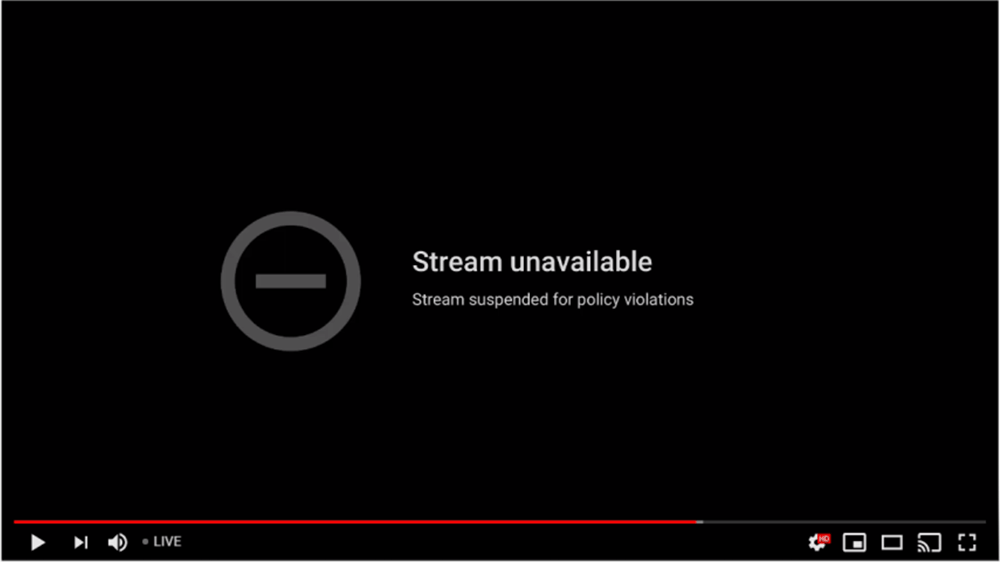
Playing a commercially released song in the background doesn’t automatically become allowable because you are livestreaming rather than uploading a video. Just ask the DJs that adapted into livestreaming during the lockdowns of 2020/21. Most will recount of how just as they are getting into a set the stream would get pulled or muted because of copyright. Most platforms can detect copyrighted music being played in real time and apply their own enforcement systems.
On YouTube, livestreams are constantly scanned for matches to third-party content. If copyrighted content remains in a stream after a warning, the stream can be interrupted or terminated. YouTube’s live-streaming terms clearly state that creators need the necessary rights for their live content, including music licensing rights.
Twitch also prohibits sharing music that you don’t own or have the necessary rights to use. This includes music playing in the background of a broadcast. Copyright takedowns can really affect a channel. It is frustrating for viewers watching along and repeated violations can even, potentially result in suspension.
Each platform has their own approach. TikTok, for example, has specific rules around commercial use of music and provides its Commercial Music Library for certain uses. It’s important to remember that just because there may be permission to use a track on one platform this doesn’t mean that rule applies everywhere.
It’s also worth remembering that your livestream may become a recording. A stream that is later available as a replay, clip or video can create additional considerations around the music you’ve used.
Royalty-free music for no stress streams
The most straightforward and risk free approach is to use music that you have specifically licensed for your content.
Royalty-free music caters to this need, offering specifically created libraries covering every musical requirement. Many services, including RouteNote Licensing allow users to whitelist their channels when they sign up to an account. This added layer of protection prevents automated copyright flags occurring whilst streaming. Simply audition and download suitable music before your stream, and organise it into playlists ready to go live.
That said, it’s still important to check exactly what a licence permits. “Royalty-free” doesn’t necessarily mean “do whatever you want”; different libraries can have different terms, so make sure livestreaming is covered by the licence you’re using.
For creators who livestream regularly, building a dedicated library of licensed music can make preparation much simpler.
And if you’re looking for a comprehensive and highly affordable royalty free music option then give RouteNote Licensing a try. Click here to sign up and check out what we have to offer.
Give your streams their own sound
Music can be used to really give your streams an identity of their own. Music doesn’t just have to be limited to background ambience. You can use short musical stings for new subscribers, donations or other stream events, establish a unique opening theme or use different sounds to separate sections of your broadcast.
It’s all about developing a small audio identity for your channel. If you use recurring music or sound effects for each stream, viewers will begin to associate them with your content.
The best livestream music isnt about it being noticed immediatly. You should aim to use music that makes the stream feel more energetic, atmospheric or polished without getting in the way of the main subject and reason they tuned in.
By planning your soundtrack, getting your audio setup working smoothly and making sure you have the appropriate rights to use your music, you will be able to concentrate on the most important thing: Going live and presenting your stream.
Stop risking your channel’s revenue and momentum on a flawed system.
RouteNote Licensing guarantees that the music you license is protected from Content ID claims, allowing you to focus on what you do best: creating great content.
Click Here to Start Your Claim-Safe Journey Today!